Conversational AI Integrations — MCP & Pre-built Connectors Connect your AI agents to every system, over MCP or 50+ pre-built connectors.
EnableX Dialogs agents (voice + chat) connect to CRMs, payments, schedulers, and internal systems two ways: 50+ pre-built connectors for the tools most businesses run on, or any system that exposes an MCP server. The agent reads data and takes actions mid-conversation, on voice, WhatsApp, or web.
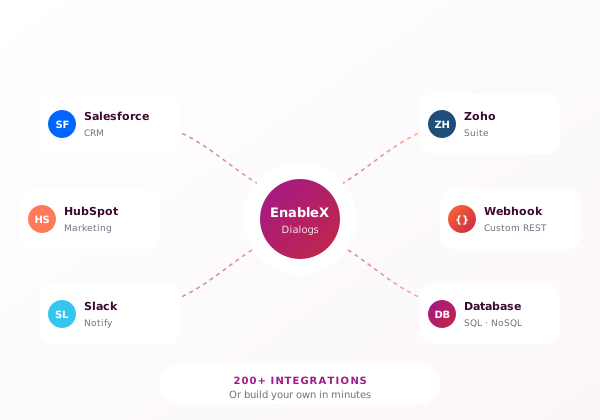
MCP: one protocol, every integration
MCP (Model Context Protocol) is an open standard that lets an AI agent discover and call tools on any system that exposes an MCP server. EnableX Dialogs agents act as MCP clients: point an agent at your MCP server, or an off-the-shelf one, and it can read data and take actions mid-conversation — check a balance, update a ticket, book a slot. Permissions stay controlled server-side.
No per-system custom code
One protocol replaces a stack of point integrations. If a system exposes an MCP server, an EnableX agent can discover its tools and use them. No connector to build, no glue code to maintain per system.
Maintained by the system owner
The team that owns the system owns its MCP server: which tools exist, what they do, who can call them. When the system changes, they update the server once and every agent picks it up. Integration logic stays where the expertise is.
Works for internal tools too
Your internal order system, inventory database, or policy engine has no vendor connector anywhere. Put an MCP server in front of it and your agents can use it, with access controlled on your side.
How it works
Four steps from system to live agent action.
Expose or pick an MCP server
Stand up an MCP server in front of your system, or use an existing one. The server defines the tools: what the agent can read, what it can do, and who is allowed to do it.
Register it with your agent
Point your Dialogs agent at the server. No connector build, no field-by-field mapping project.
Agent discovers tools and permissions
The agent reads the server's tool list and the permissions attached to it. It only sees what the server allows it to see.
Actions run mid-conversation
On voice, WhatsApp, or web: the agent checks the balance, updates the ticket, books the slot, while the customer is still in the conversation. Every read and write is audit-logged.
Pre-built connectors
The classic path. 50+ connectors ship ready to use, no MCP setup needed. Highlights below, grouped by what the agent does with them.
Salesforce
Create and update leads and cases from conversations. The agent reads customer context before responding and writes the outcome back.
Zoho CRM
Lead capture and record updates from voice and chat. Conversation outcomes land in the right module.
HubSpot CRM
Contact and deal updates from conversations, so pipeline stays current without manual entry.
Zendesk
The agent creates and updates tickets with the full conversation attached. Human agents pick up with context.
Stripe
Take payment mid-conversation. The agent sends a payment link in chat or on a call and confirms once it clears.
PayU
In-conversation payment collection for markets where PayU runs your checkout.
Calendly
Book slots in-chat. The agent offers available times and confirms the booking without leaving the conversation.
Typeform
Feed form responses into conversations, or hand off structured data collection to a form mid-flow.
System not listed? Custom REST and webhook integration is available in the flow builder, and the full catalogue lives on the Studio integrations page. See the full connector catalogue →
Integrations follow your deployment model
On-premise stays on-premise
An on-prem EnableX agent calls on-prem MCP servers and internal APIs inside your network. Conversation data and system data never leave it.
Cloud and hybrid, same approach
The same two integration paths, pre-built connectors and MCP, work in cloud and hybrid deployments. You choose where each piece runs.
Audit logging throughout
Every read and write an agent performs against a connected system is logged, whichever integration path it came through.
Explore related
FAQ: Conversational AI integrations
Bring one system. We'll connect it live.
20 minutes. Pick a CRM, a payment provider, or an MCP server, and watch a Dialogs agent read from it and write to it mid-conversation.
30-day free trial · No credit card · Bot live in 4–6 weeks with our team